Apple TV 4K

Apple TV 4K and Siri Remote below TV screen, screen shows Home Screen top row app icons over a green pickleballs background

Stunning picture.
Stunningly simple.

Apple TV 4K delivers the ultimate cinematic experience, from shows and movies to games and workouts. With Siri, your intelligent assistant, and built‑in microphones, enjoying what you love is as easy as using your voice.1 It’s the best of Apple, right on your TV.

Available from thirteenth of November

Pre‑order

Stream The Dink on Apple TV with a subscription

Cinematic Experience

True‑to‑life picture.
Unreal sound.

Apple TV 4K below TV screen, screen shows close-up of glowing eye, dark room setting

Dolby Vision and HDR10+ deliver a vivid 4K picture that brings every detail to life.2 The A19 chip delivers up to 50 per cent faster CPU performance and up to 2x faster GPU performance than the previous generation, for greater responsiveness and ultra-smooth playback.3,4

Dolby Vision HDR 10 Plus

Spatial Audio immerses you in Dolby Atmos surround sound that feels like it’s coming from every direction.5 Enhance Dialogue pulls spoken words forward, so even whispers come through clearly.6 And subtitles appear at just the right times to help you track every word.

Dolby Atmos

Stream Monarch: Legacy of Monsters on Apple TV with a subscription.

Siri AI, glowing horizontal light form on black background

Siri

Your intelligent
assistant.

Get things done with Siri. Just say the word to discover a movie you’ll love, learn more about an interesting character or control your smart home, all hands‑free.1

What should I watch?

What did she just say?

How high is Mount Whitney?

Show me the babies’ room

Easily said. And done.

Now Apple TV 4K has three far‑field microphones built in, which means you can talk to Siri and control Apple TV 4K using just your voice.7 Start a show, play music or dim the lights, all without reaching for the remote. And don’t worry, your privacy is protected at every step.

Apple TV 4K, front exterior, voice waves moving inwards towards status light

Home Cinema

Immersive.
From the sound up.

Apple TV 4K and HomePod: two HomePod speakers, one at each side of TV screen, two HomePod mini speakers in front, sound waves around each

Surround sound turns your living room into a personal cinema.8 Pair Apple TV 4K with four HomePod speakers for three‑dimensional sound that places you in the middle of the action. Apple TV 4K works with each speaker to automatically calibrate the audio for room‑filling, cinematic sound.

Whole Room Audio spreads sound evenly across four HomePod speakers for audio that’s perfect for parties or match day. Everything from music to sports commentary comes through clearly, no matter where you are in the room.

TV and Beyond

The best seat
in the house.

Discover award‑winning Apple Original series and films — with other favourites on Disney+, Prime Video, Netflix, HBO Max, ESPN and more.9 Experience exciting ways to enjoy your favourite music, super‑fun games and world‑class workouts you’ll find only from Apple.10 And explore thousands of other top apps in the App Store. There’s more on Apple TV 4K than just TV.

Grid of poster artwork from Apple TV, Apple Music, Apple Fitness+, Apple Arcade, and channel partners

Better Together

Television’s ultimate

supporting cast.

Photos. iCloud Shared Photo Library makes it easy for the whole family to enjoy each other’s photos on your biggest screen. You can see what others have added to Shared Albums and even choose Memories as your screen saver.15

Learn more about iCloud Photos

Photos app on TV screen, Memories tab selected, four people smiling, row of dated memory thumbnails below

FaceTime. The FaceTime app on Apple TV 4K connects to your iPhone or iPad to bring calls to the big screen through Continuity Camera.16 Apple TV 4K will also show notifications of incoming FaceTime calls — so sharing special moments together is easier, bigger and clearer than ever.

Apple TV 4K and iPhone: TV screen shows a FaceTime call, a person holds a young child, second caller in inset

Siri Remote with Find My. Control Apple TV 4K with the touch‑enabled clickpad or use your voice with the dedicated Siri button. If the remote goes missing, use Find My or say “Hey Siri, find the remote” to have it play a sound.17

Siri Remote, silver colour aluminium casing, slim profile. Front exterior: microphone at top centre, power button at top right, circular touch-enabled click-pad, raised control buttons arranged vertically in two columns; back button, pause and play button, mute button, home button and volume up and down button. Top exterior: IR transmitter. Right side: raised Siri button at top, flat exterior rounded corners

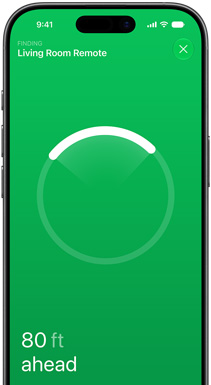
iPhone. Play, pause, fast‑forward, rewind and adjust the volume on your TV — all from the Lock Screen of your iPhone or in Control Centre. You can make purchases or sign in to apps using Face ID. And Precision Finding helps you locate the Siri Remote.18

iPhone, Find My app on screen, text reads: Finding Living Room Remote, circular locator ring with bright arc pointing towards the remote’s direction, text reads: 80 ft ahead

AirPods. Connect AirPods with Apple TV 4K for a personal sound experience in Spatial Audio.5 Or share the moment with a friend and connect a second set of AirPods, each with separate volume control.

AirPods 5 and AirPods Pro 3: earbuds in open charging cases, white colour, green status light on each

Screen savers. Snoopy and Woodstock star in playful animations for the whole family, while mesmerising visuals take you to stunning locations on earth and beyond.6 Screen savers can also showcase photos of your cherished moments and loved ones.

Apple TV+ promo, Snoopy dances with a blue blanket, orange background

SharePlay. Watch movies and TV shows like Pluribus on Apple TV in real time with your friends. And with Split View, you’ll be able to experience everybody’s laughs, cries, screams or sighs without missing a moment of the show.19

Mac and iPhone: SharePlay split view on Mac, Apple TV show plays on left, FaceTime tiles on right show three people, iPhone mounted beside Mac used as Continuity Camera

Home Control

Lights. Cameras.
Smart home interactions.

Apple TV 4K is a smart home hub that can automate — and give you remote access to — all of your home’s compatible connected accessories.20

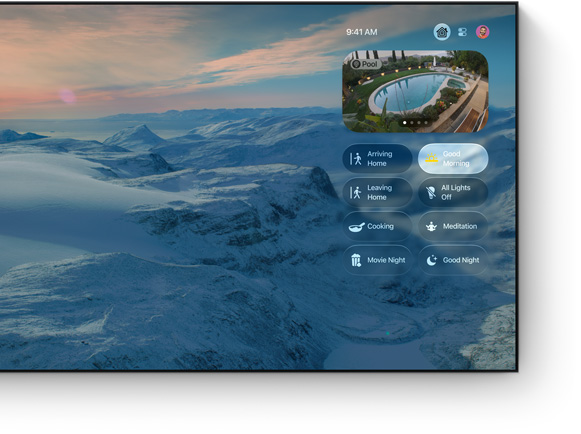
Smart home hub. Everything at home is under control. Find your connected accessories in one place with the intuitive Control Centre. Apple TV 4K works seamlessly with your HomeKit‑enabled accessories, and you can connect more accessories than ever with Matter21 — the smart home connectivity standard. And with remote access, you can control your smart home from the Home app on your other Apple devices wherever you go.

Home app Control Centre on TV screen, mountain landscape wallpaper, live pool camera feed, scene buttons including Good Morning selected, Arriving Home, Movie Night and Good Night

Automation. With Apple TV 4K as your home hub, the Home app on your Apple devices lets you set an accessory to automatically do what you want, when you want, or create scenes for multiple accessories working together. Locks and motion sensors that activate when it’s bedtime. Lights that dim and curtains that close when it’s time for movie night. And whatever else you can think of.

Smart home accessory icons: light bulb, lock, thermostat, fan, outlet, camera

Privacy and security. Designed to protect your personal information. Because privacy is so important, your Home data is stored in a way that no one else can access it — not even Apple.

Privacy icon, Apple with an integrated padlock, black colour

Apple TV

Get 3 months of
Apple TV free

when you
buy an Apple TV 4K.22

Apple TV App

The Apple TV app

All your TV.
All in one app.

Learn more

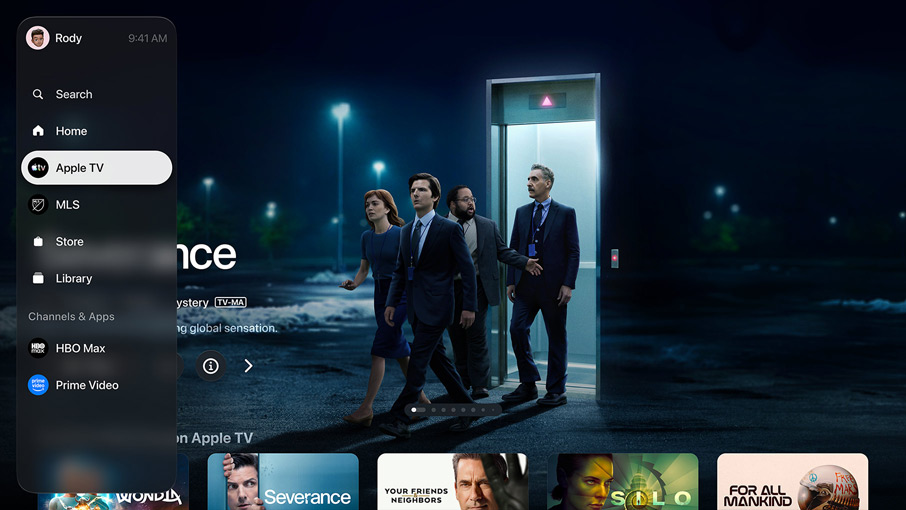
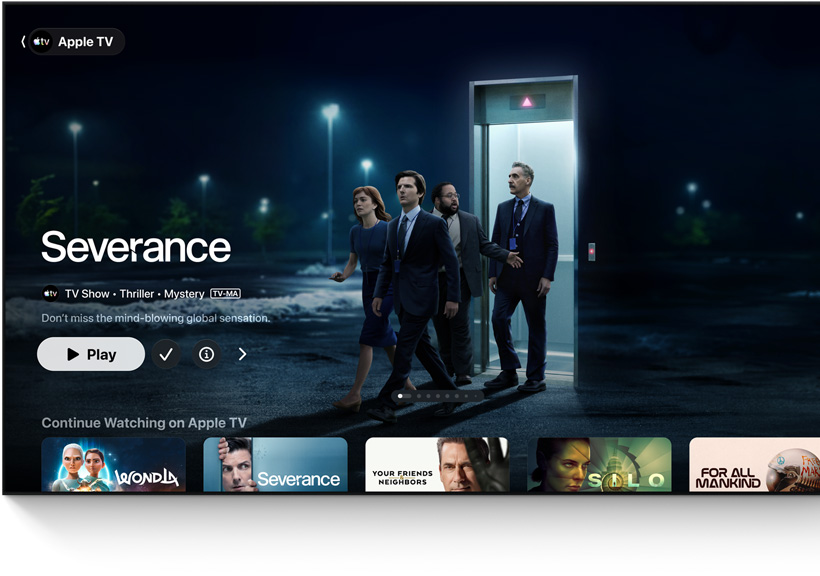
Apple TV app, featured title: Severance, people walk out of a lift into a parking lot, Continue Watching row below